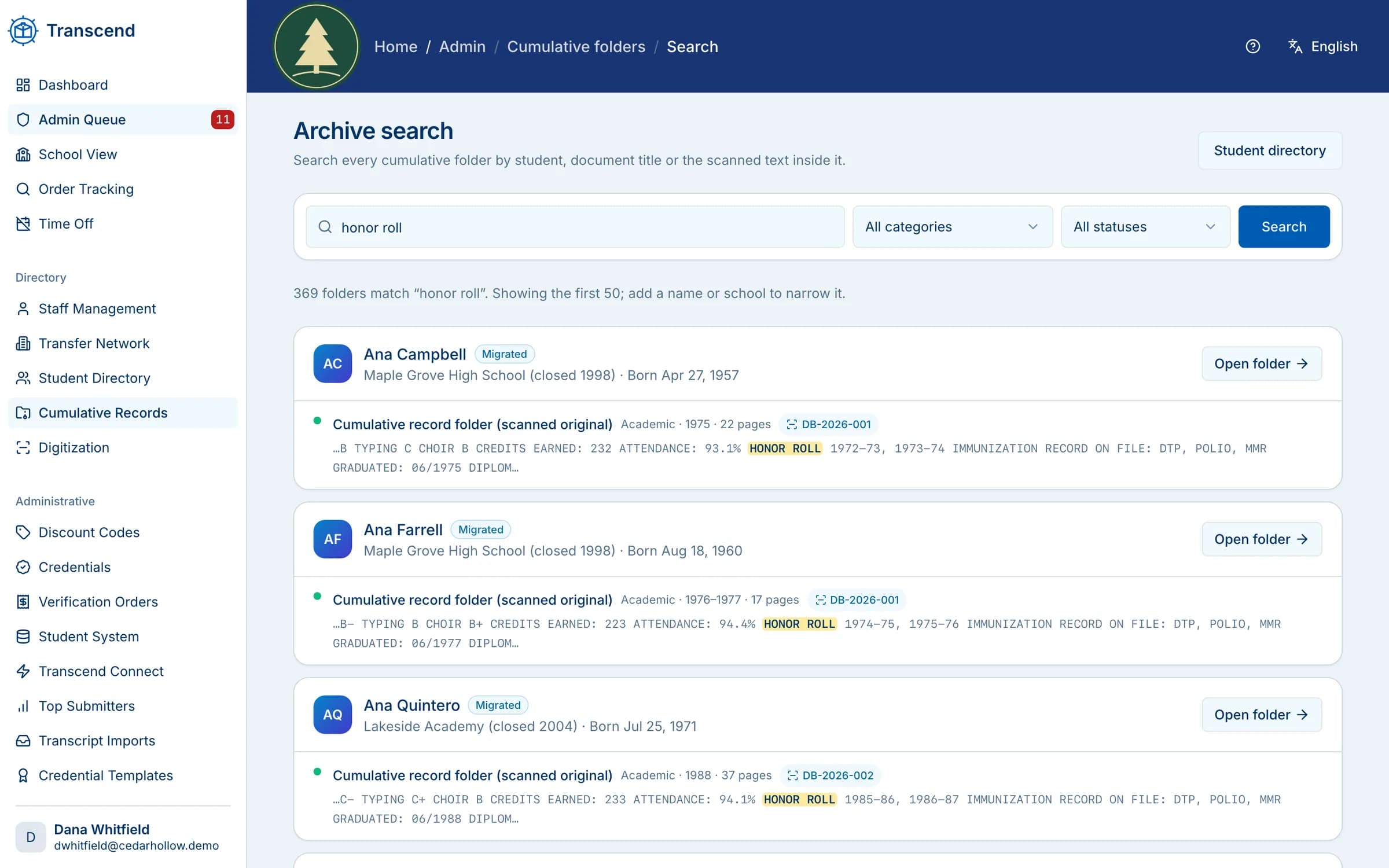
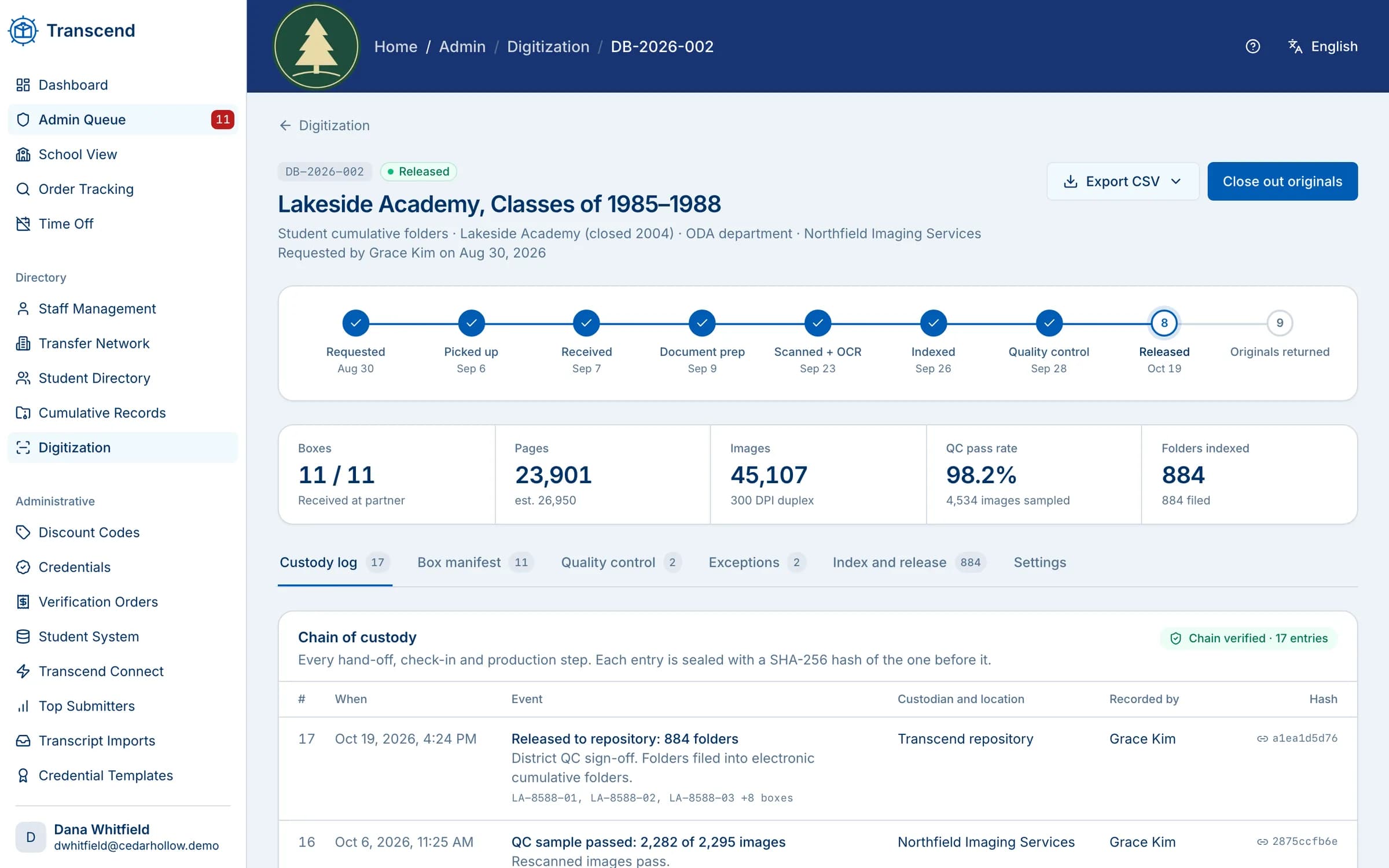
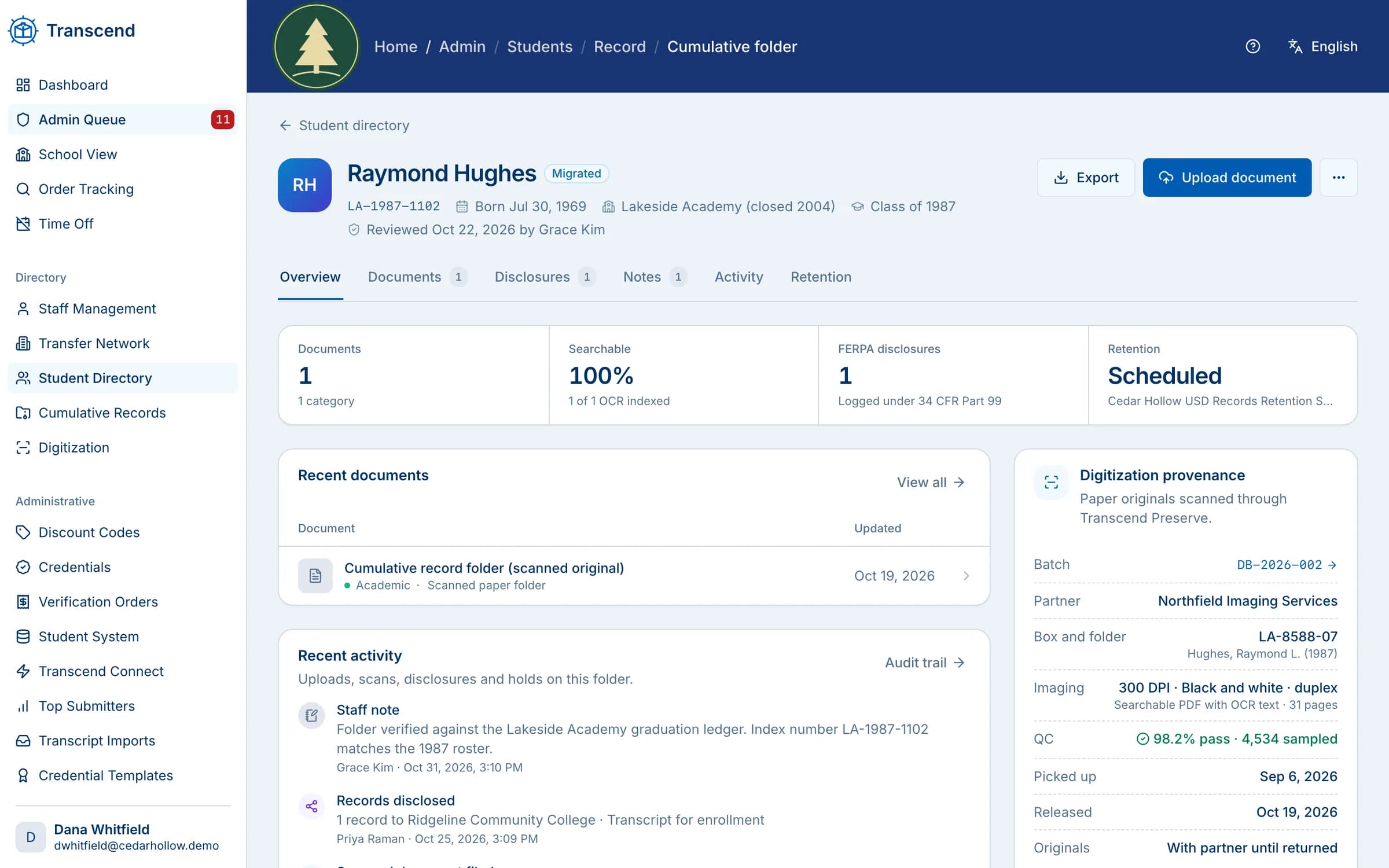
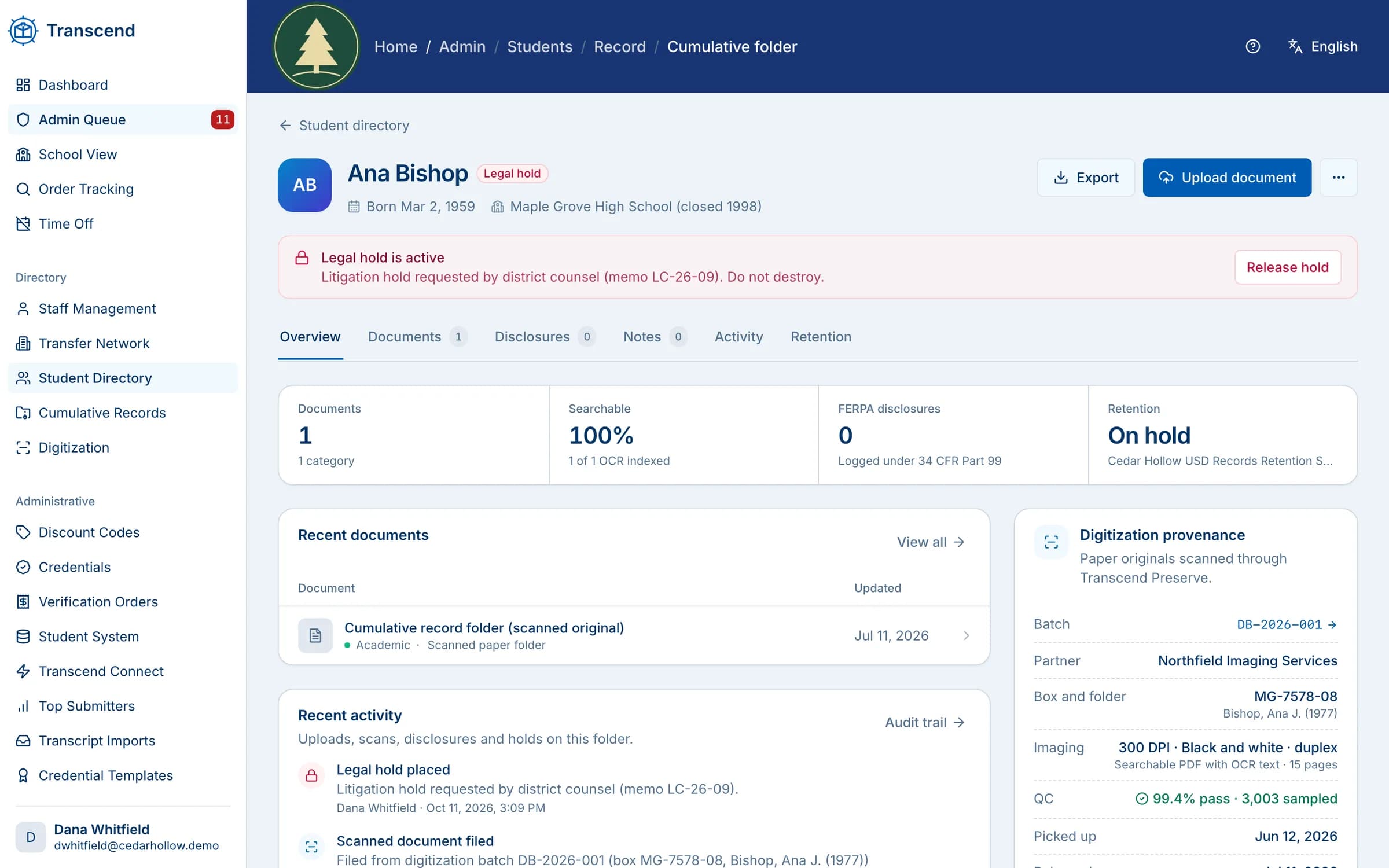
We scan, index and preserve student, staff and business records, keep them in a secure, searchable repository with retention schedules and legal holds, and answer requests for them.
Paper, fiche & PDFConverted and brought into one place
Full-textOCR and indexing on every page
TrackedChain of custody, box to repository
1 hourSupport response, guaranteed
Digitize
From boxes and microfiche to clean, searchable files.
Our qualified scanning partners prepare, scan and check every page, while a secure inventory tracks each box from your building and back.
Pickup, secure storage and inventory tracking for the whole project
Pages prepped by hand: staples out, tears mended, small items mounted, blanks skipped
Legible, de-skewed, double-sided scans to searchable PDF with OCR
A cover sheet flags any poor-quality original or empty folder
Sample district · fictional data
Index
Indexed the way your staff look things up.
We agree on the index with you, prove it on a test batch, then capture it automatically where we can and key it by hand where we must.
Student ID, name, date of birth, school year, site, teacher and more
Employee ID, start and end dates, invoice number and fiscal year for staff and business files
Automatic capture plus manual indexing, with quality checks
CSV or XML metadata for every image, ready for any document system
Index · Box 14, folder 22QC passed
Student ID
0048213
Last name
Delgado
First name
Teresa
Date of birth
04/17/1972
School year
1989–90
School site
Westbrook High
Document type
Permanent record card
Auto-captured · 5 fieldsKeyed by an indexer · 2 fields
batch-2025-07-index.csvMetadata for every image
Illustrative example · fictional names
Find & access
Every student’s folder, without the filing cabinet.
Keep cumulative folders electronically, and search the whole archive at once instead of pulling boxes from storage.
Electronic cumulative folders for current and former students
A secure, searchable repository with role-based access
Schools and departments upload records directly, with clear upload rules and support
Legacy archive migration, including poor-quality scans and varied layouts
Sample district · fictional data
Serve requests
Answer transcript and verification requests from the archive.
Former students and third parties request records online. Transcend verifies identity, takes payment and delivers the record securely.
Online requests from students, employers and other third parties
Identity verification and the student’s authorization
Common payment methods, with fees you set
Secure electronic delivery, and a clear path when no record is found
Request #5531 · TranscriptDelivered
Request receivedFormer student · Transcript, 1994
Identity verifiedSigned authorization on file
Fee paid onlineCard payment
Record found & deliveredSecure download link sent
Third-party requests and education verifications follow the same path, with the student’s authorization.
Illustrative example · fictional names
Govern
Keep what you must, for as long as you must.
Apply retention schedules to each series of records, place legal holds when a matter requires it, and dispose of records securely when their time comes.
Retention schedules by record series, including permanent and decades-long periods
Legal holds that override a retention period
Originals returned to you, or destroyed securely on your written approval with a certificate of destruction
Working copies wiped from scanning systems when the project ends
Sample district · fictional data
How a digitization project runs
Four steps from storage room to search box.
We scope each project with you, then run it in batches so records come online as they are finished.
1
Pickup & chain of custody
Boxes, folders and microfiche are inventoried and picked up, and every hand-off is tracked while records are in our care.
2
Prep, scanning & OCR
Pages are prepared by hand, scanned double-sided where needed, straightened and made full-text searchable.
3
Indexing & quality check
A test batch proves the index and the output first. Then every batch is indexed and checked before release.
4
Secure access & return
Records go live with role-based access, and originals come back to you or are securely destroyed with your approval.
What you can preserve
The records that fill your storage rooms.
For K-12 districts, colleges and universities, and county offices of education.
Cumulative folders
Enrollment cards, report cards, health records and the rest of each student’s folder.
Transcripts & graduation records
Permanent records and graduation rosters, ready when a former student asks.
Special-education files
Assessments, plans and related documents, with access limited by role.
Staff, payroll & benefits files
Personnel, payroll, and health and benefits records, indexed by employee and date.
Board, business & contract records
Board minutes, accounting records, invoices and contracts, indexed by fiscal year.
Microfiche, microfilm & closed schools
Legacy fiche and film, and the records of schools and programs that have closed.
A repository for the long haul
Built to hold records for generations.
One home for every source
Scanned paper, PDFs and electronic records from many schools and systems, ingested even when the originals are messy or inconsistent.
Tracked by school and year
See how many records each school or department has sent, by academic year, and replace a record when a newer version arrives.
Staff lookup & oversight
Authorized staff search and review records, school contacts and account activity from one place.
Reports on requests and fees
Requests by school, how many were fulfilled or not found, and the fees collected, ready for oversight reports.
Secure and recoverable
Encrypted, backed up and monitored for unauthorized access, stored in the United States, with a continuity plan for the records in our care.
Support for everyone involved
Help for schools uploading records, staff confirming information and requesters ordering them, plus a support response within one hour, guaranteed.
FAQ
Questions buyers ask
Who does the scanning?
Qualified scanning partners that we coordinate for you. We scope the project, schedule pickup, track chain of custody and run quality checks, so your staff have one point of contact.
How are records indexed?
Every page is processed with OCR so its text is searchable, and records are indexed by the fields your staff use, such as student ID, name, date of birth, school year and site, or employee ID and fiscal year for staff and business files. We validate the index on a test batch first, and deliver CSV or XML metadata with every image.
How long does a project take?
It depends on volume; we scope it with you. We work in batches, so the most-requested records can come online first.
What happens to the paper originals?
Your choice. We reassemble and return them, or, only with your written approval, destroy them securely and issue a certificate of destruction.
Who can see the records?
Only the people you allow. Access is role-based, so a records clerk, a counselor and an administrator each see what their role permits.
Can former students request records from the archive?
Yes. Students and authorized third parties request records online, verify identity, pay any fee and receive the record by secure delivery. Education verifications work the same way.
Where are the records hosted?
Wherever you prefer: our secure U.S. cloud, your own cloud account or your own servers, in one central archive or kept separately by school. Your institution owns its records either way.
Hosting & architecture
Your records. Your architecture.
Your institution owns its records and decides what to release. Run Transcend in the setup your district prefers, and change it as your needs grow.
Hosted by Transcend
Our secure U.S. cloud
Encrypted at rest and in transit, backed up, with role-based access and audit logs. Nothing for IT to run.
Your cloud
Your own cloud account
Run Transcend in your institution’s Microsoft Azure, AWS or Google Cloud environment, under your own security policies.
On premises
Your own servers
Keep records in your data center and existing systems. Transcend connects to where your records already live.
Centralized or distributed
Organize records the way your district works.
Centralized
One records hub for the whole district, county office or consortium, with every school’s records in one place.
By school or department
Each school or office keeps its own records, with one request portal and one staff view across all of them.
Tell us what’s in the storage room.
In a free 15-minute walkthrough, we’ll talk through your boxes, fiche and legacy systems and outline how a project would run.